To start working with a Linux VPS:
-
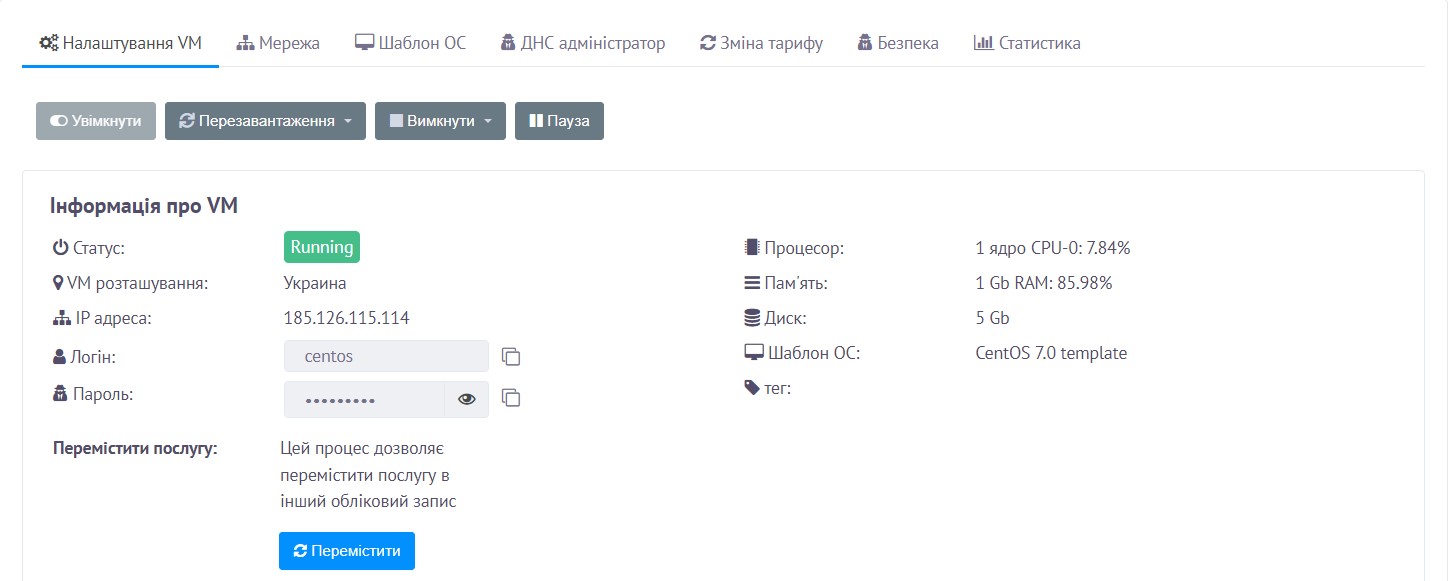
Log in to your client area at https://my.rx-name.ua/ (or https://my.server.ua/) and go to Orders → VPS Hosting. Open your order to view the connection details.
-
To connect via SSH, press Win + R and type cmd in the search bar.
-
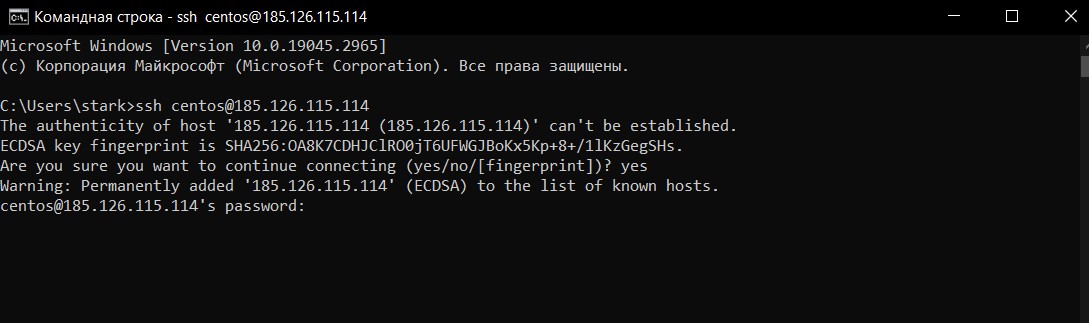
In the command prompt, enter the SSH command:
ssh login@server_IP_addressThen enter your password.
-
Done — you are now connected to the server.
Note: This instruction is only for Windows 10 and above. Otherwise, you can use an SSH client such as PuTTY.
