To connect to a Windows VPS server, follow these steps:
-
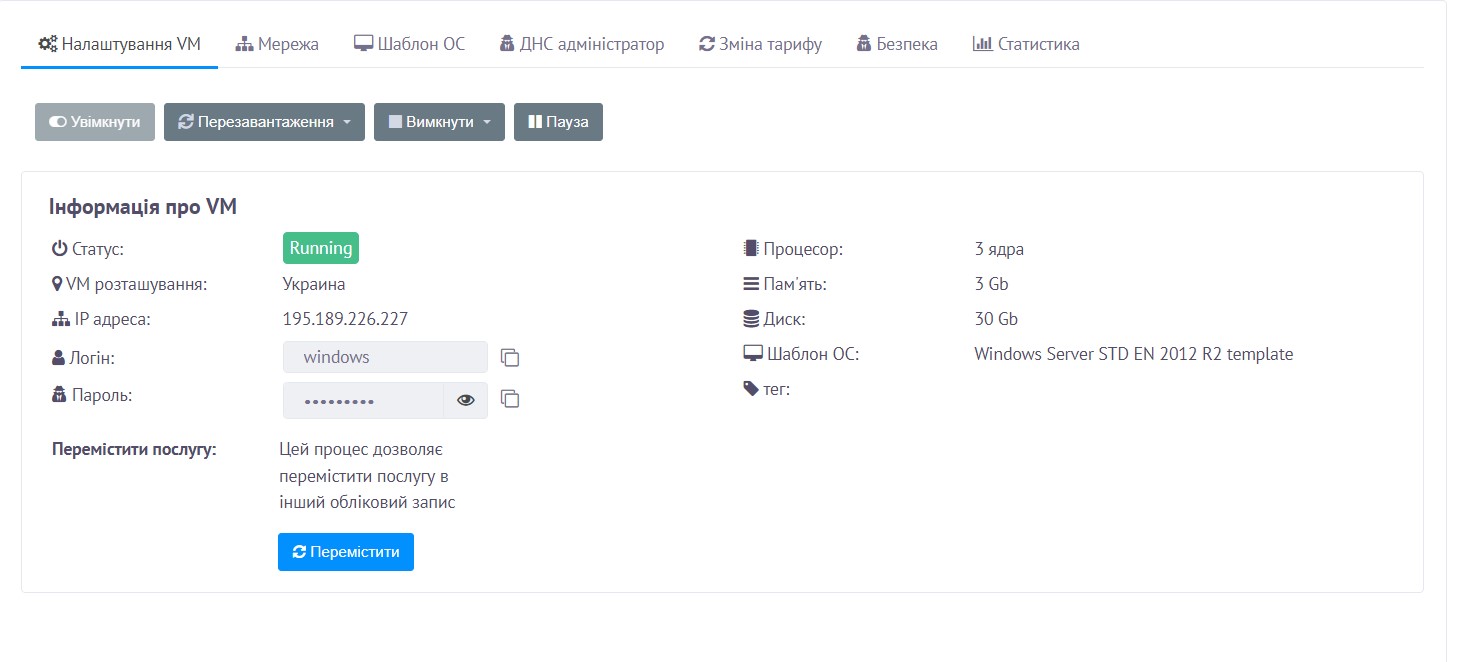
Log in to your client area, go to Orders → VPS Hosting, and open the settings of your order — there you will find the connection details.
-
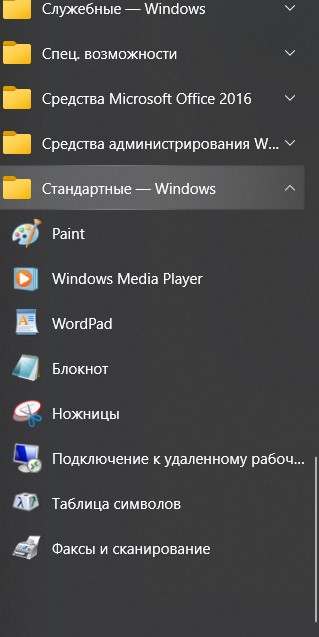
Launch the Remote Desktop Connection program from the Start menu → All Programs → Accessories → Remote Desktop Connection, or press Win + R and enter the command mstsc.exe.
-
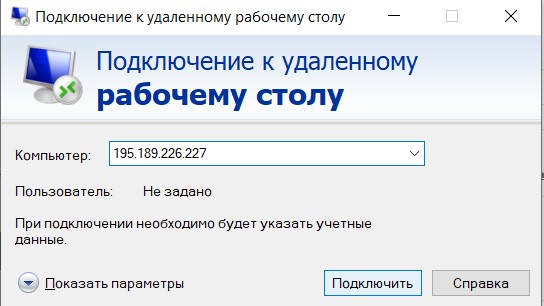
Enter the IP address, then enter your login and password.
-
Done — you are now connected to the server.
